
How To Install And Configure Zabbix Plugin For Grafana Server3 min read
I want to show How To Install And Configure Zabbix Plugin For Grafana Server. On the other hand, Grafana Server is an open source data visualization software. So I want to show how to see Zabbix data from Grafana visualization.
★ Check Web Site URL From Zabbix Server
★ How To Install OsTicket On Ubuntu 16.04
Step #01: Install Zabbix Plugin on Grafana Server. If you do not install Grafana Server then install it first.
root@Grafana_Server:~# grafana-cli plugins list-remote
Step #02: Now Install Grafana-Zabbix Plugin.
root@Grafana_Server:~# grafana-cli plugins install alexanderzobnin-zabbix-app
Step #03: After installation completed then restart Grafana-Server.
root@Grafana_Server:~# service grafana-server restart
Step By STep Configure Grafana Zabbix Plugin
Step #04: Goto Grafana GUI and find Zabbix plugin. Now go to Settings / Configuration / Plugins.
See example image
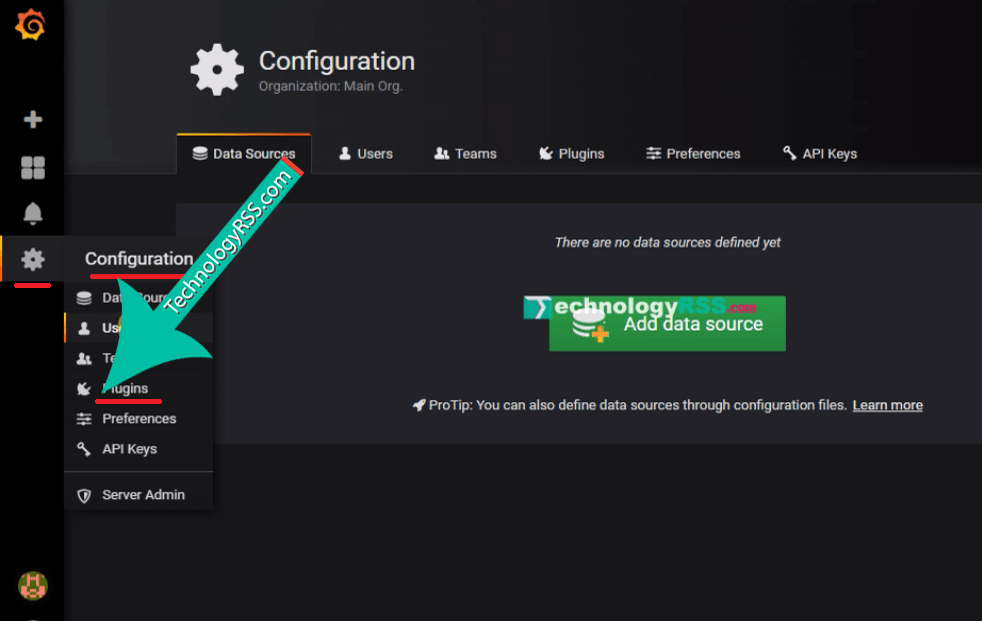
Now you will see all the plugin list. Then click Zabbix Plugin and click the Enable button.
Step #05: Add Zabbix Data source into Grafana Server. Click Settings / Data Source.
Now you see the Data Source Configuration page click Add Data Source
Name : any name here
Type : Must be select Zabbix
HTTP Section :
URL : http://ip_address/zabbix/api_jsonrpc.php
Access : Select Browser
Zabbix API details:
Username : Admin [This is Zabbix web login user name]
Password : ***** [This is Zabbix web login password]
Then click Save & Test.
Step #06: Check Zabbix Dashboard goto Zabbix plugin on the left sidebar and click Zabbix Server Dashboard.
See example below image:
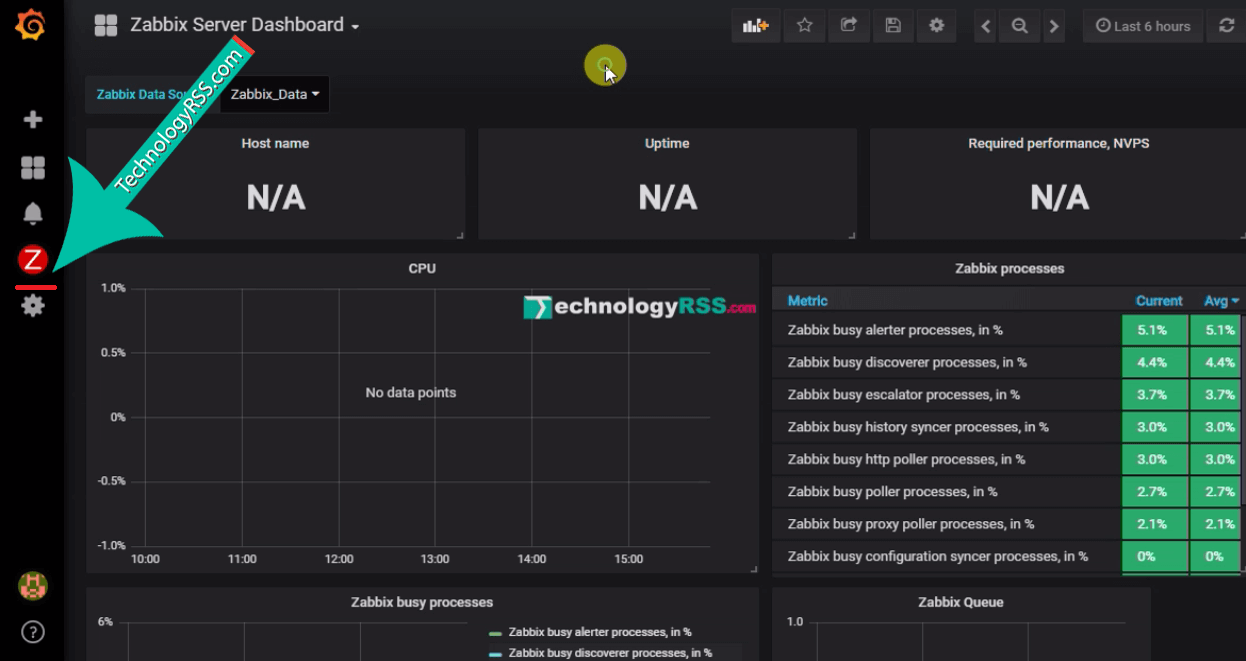
Step #07: Check hostname click Host name then edit it.
Find Data Source and Query mode. For more details goto my YouTube video and see full. Please subscribe my YouTube channel for more update.

Thanks to all.
- How To Enable SSH On Debian 13 Server - September 13, 2025
- Is Debian 13 Server on VirtualBox the EASIEST Way to Get Started - September 11, 2025
- How To Install Zabbix Server 7.4 On Ubuntu 22.04 - September 10, 2025




tutorial is good, in place of sound please explain what your are doing that will help much
Mainly this plugin for connect Zabbix database into Grafana server.
Thanks.
Zabbix plugin doesn’t appear at “Add data source”. (Zabbix 5.0.3.)
First install plugin then reboot server or restart service then try again.
Thanks.